mirror of
https://github.com/BlueMatthew/WechatExporter.git
synced 2026-08-29 16:40:34 +08:00
 Matthew
64 lines
4.1 KiB
Markdown
64 lines
4.1 KiB
Markdown
# WechatExporter
|
||
|
||
本程序参考 https://github.com/stomakun/WechatExport-iOS 修改成C++来实现,移除对dotnet的依赖,方便在MacOS下的运行。
|
||
|
||
## 操作步骤:
|
||
1. 通过iTunes将手机备份到电脑上,Windows操作系统一般位于目录:C:\用户[用户名]\AppData\Roaming\Apple Computer\MobileSync\Backup\。Android手机可以找一个iPad/iPhone设备,把聊天记录迁移到iPad/iPhone设备上,然后通过iTunes备份到电脑上。
|
||
|
||
2. 下载本代码的执行文件:[Windows x64版本](https://github.com/BlueMatthew/WechatExporter/releases/download/v1.8.0/v1.8.0.1_x64_win.zip) 或者 [MacOS x64版本](https://github.com/BlueMatthew/WechatExporter/releases/download/v1.8.0/v1.8.0.1_x64_macos.zip),然后解压压缩文件
|
||
|
||
3. 执行解压出来的WechatExport.exe/WechatExporter (Windows下如果运行报缺少必须的dll文件,请安装[Visual C++ 2017 redist](https://aka.ms/vs/16/release/vc_redist.x64.exe)后再尝试运行)
|
||
|
||
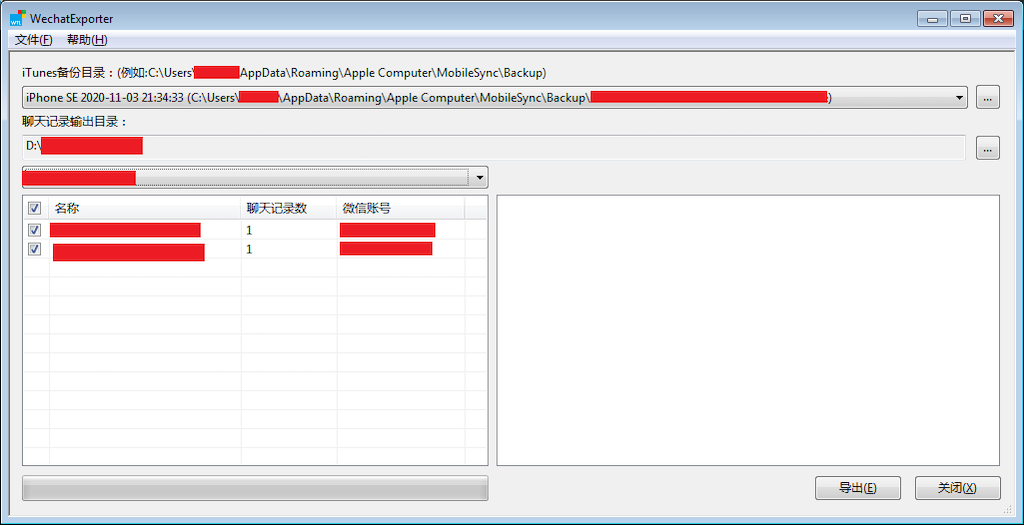
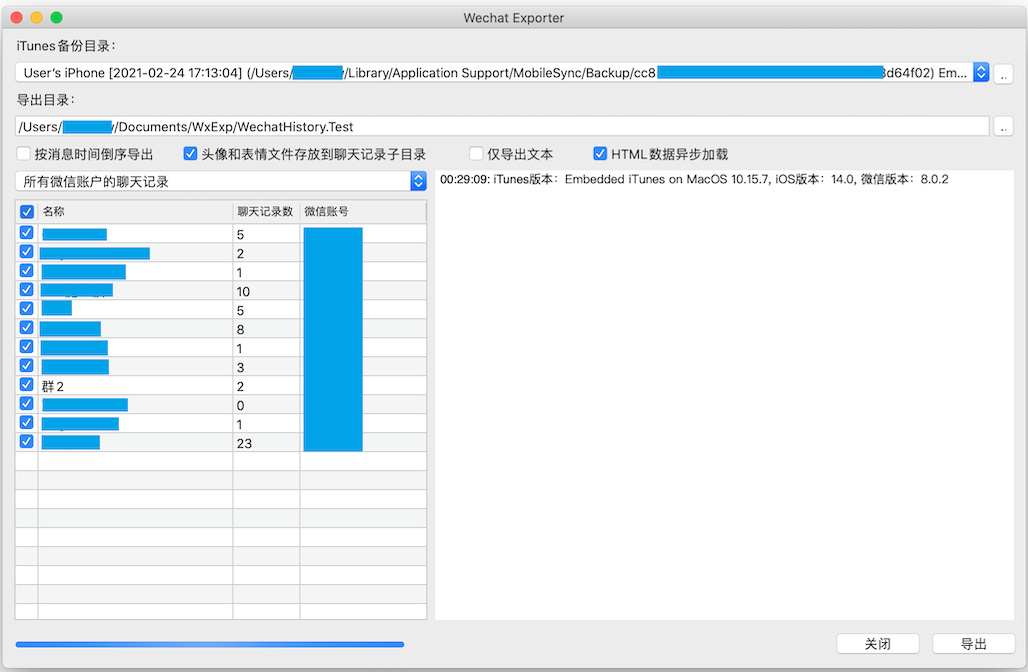
4. 按界面提示进行操作。
|
||
|
||
|
||
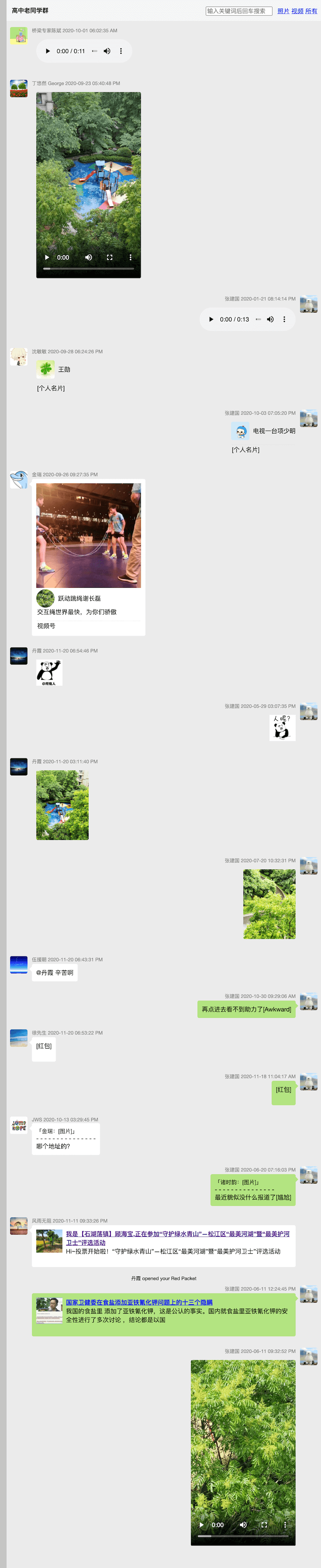
5. 导出后的页面示例:
|
||
|
||
|
||
[点击链接可打开网页:https://src.wakin.org/github/wxexp/demo/](https://src.wakin.org/github/wxexp/demo/)
|
||
|
||
## 模版修改
|
||
解压目录下的res\templates(MacOS版本位于Contents\Resources\res)子目录里存放了输出聊天记录的html页面模版,其中通过两个%包含起来的字符串,譬如,%%NAME%%,不要修改之外,其它页面内容和格式都可以自行调整。
|
||
|
||
特别感谢Chao.M帮忙优化当前的模版。
|
||
|
||
## 系统依赖:
|
||
Windows版本:Windows 7+(XP不支持), [Visual C++ 2017 redist](https://aka.ms/vs/16/release/vc_redist.x64.exe) at [The latest supported Visual C++ downloads](https://support.microsoft.com/en-us/help/2977003/the-latest-supported-visual-c-downloads)
|
||
MacOS版本:MacOS 10.10(Yosemite)+
|
||
|
||
|
||
## 程序编译
|
||
程序依赖如下第三方库:
|
||
- libxml2: http://www.xmlsoft.org/
|
||
- libcurl: https://curl.se/libcurl/
|
||
- libsqlite3: https://www.sqlite.org/index.html
|
||
- libprotobuf: https://github.com/protocolbuffers/protobuf
|
||
- libjsoncpp: https://github.com/open-source-parsers/jsoncpp
|
||
- lame: http://lame.sourceforge.net/
|
||
- silk: https://github.com/collects/silk (也参考了: https://github.com/kn007/silk-v3-decoder)
|
||
- libplist: https://github.com/libimobiledevice/libplist https://github.com/libimobiledevice-win32/libplist
|
||
- libiconv(windows only): https://www.gnu.org/software/libiconv/
|
||
- openssl(windows only):https://github.com/openssl/openssl
|
||
- WTL (windows only):https://sourceforge.net/projects/wtl/
|
||
|
||
MacOS下,libxml2,libcurl,libsqlite3直接使用了Xcode自带的库,其它第三方库需自行编译。
|
||
libmp3lame需手动删除文件include/libmp3lame.sym中的行:lame_init_old
|
||
|
||
Windows环境下,silk自带Visual Studio工程文件,可以直接利用Visual Studio编译,其余除了libplist之外,都通过vcpkg可以编译。libplist在vcpkg中也存在,但是在编译x64-windows-static target的时候报了错,于是直接通过Visual Studio建了工程进行编译。
|
||
|
||
https://github.com/BlueMatthew/WechatExporter/releases/download/v1.0/x64-windows-static.zip
|
||
https://github.com/BlueMatthew/WechatExporter/releases/download/v1.0/x86-windows-static.zip
|
||
https://github.com/BlueMatthew/WechatExporter/releases/download/v1.0/x64-windows-static-dbg.zip
|
||
https://github.com/BlueMatthew/WechatExporter/releases/download/v1.0/x86-windows-static-dbg.zip
|
||
https://github.com/BlueMatthew/WechatExporter/releases/download/v1.0/x64-macos-static.zip
|
||
|
||
已测试iTunes和微信版本
|
||
iTunes 12.10.10.2 + 微信7.0.2
|
||
iTunes 12.10.9.3 + 微信 7.0.15
|
||
iTunes 12.9.5.5 + 微信 7.0.2
|
||
Windows 10 + iTunes 12.11.0.26(Microsoft Store) + 微信 7.0.2
|
||
Windows 10 + iTunes 12.11.0.26(Microsoft Store) + 微信 8.0.1
|
||
Mac Catalina (Embedded iTunes) + 微信 8.0.1/8.0.2
|
||
Windows 7 + iTunes 12.10.9.3 + 微信版本 8.0.2
|
||
|